Fast loading speeds are non-negotiable for serious affiliate marketers and eCommerce store owners today. A high-performance managed host is the backbone of any profitable site.
Today, I am sharing my honest Nexcess Review after testing their services extensively. This provider claims to bridge the gap between shared and enterprise hosting, and I have validated those claims with real data. 🚀
We will evaluate their managed WordPress hosting performance, checking server uptime, page load speed, and their unique auto-scaling features. We will also inspect the Nexcess control panel, customer support quality, and pricing structures.
Finally, I will tell you if Nexcess is the best choice for your money and suggest better options if it falls short. Let’s get to the facts. 👇
What is Nexcess? 🤔
Nexcess is a premium managed hosting provider that specialises in WordPress, WooCommerce, Magento, and custom PHP applications. Founded over two decades ago, Nexcess supports more than 500,000 websites globally and operates as part of the Liquid Web family of brands.
Unlike traditional shared hosting where you’re left to manage everything yourself, Nexcess handles server maintenance, security patches, automatic updates, and performance optimisation.
This makes it particularly attractive for affiliate marketers and media buyers who’d rather focus on driving traffic and conversions instead of wrestling with server configurations.
Nexcess Managed Hosting At A Glance
The platform positions itself between budget hosts like Bluehost and premium players like WP Engine, offering enterprise-level features at mid-range pricing.
What sets Nexcess apart is its focus on eCommerce-specific optimisation, making it a solid choice for running affiliate stores or dropshipping operations.
Nexcess Key Features 🎯
Nexcess combines automated WordPress management with powerful scaling technology and enterprise-grade security for seamless website performance.
WordPress & WooCommerce Optimisation
Nexcess delivers highly optimised WordPress hosting with automatic scaling, built-in caching, and real-time performance monitoring. Your WordPress sites benefit from automatic core updates, plugin updates, and theme updates without any manual intervention. The platform includes visual regression testing to ensure updates don’t break your site.
For WooCommerce stores, Nexcess provides smart monitoring capabilities that send alerts regarding sales trends, site speed issues, and potential problems before they affect customers. Cart abandonment technology, advanced analytics, and integrations with popular tools like Affiliate WP and ConvertPro come standard across all plans.
Nexcess Cloud Accelerator

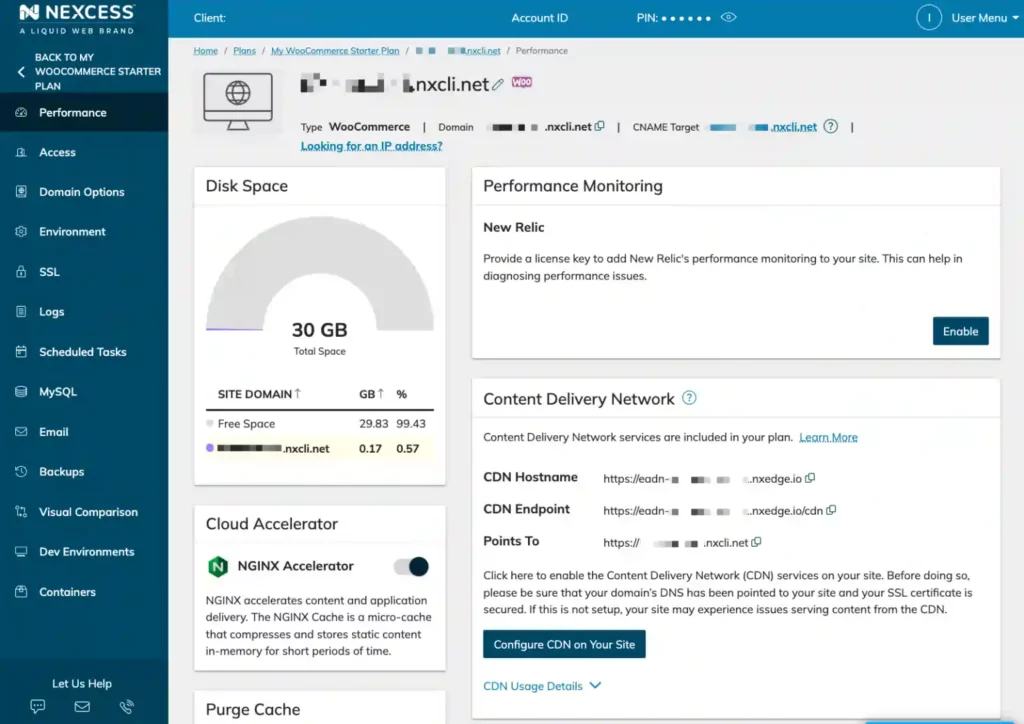
The Nexcess Cloud Accelerator ensures all pages load at identical speeds by using high-performance servers linked together to form a cache network. This distributed system communicates cached content across servers, preventing any single server from experiencing latency.
Advanced caching features include HTTP/2 connections and cache optimisation that significantly boost site performance.
Instant Auto-Scaling
All Nexcess plans include 24 hours of free instant auto-scaling per month, allowing sites to handle traffic surges without slowdowns. When your site experiences sudden spikes in visitors—like during promotions or viral content—Nexcess automatically allocates additional resources. This feature proves invaluable for eCommerce stores during sales events or product launches.
PCI Compliance & Security 🔒
Ecommerce merchants benefit from PCI-compliant hosting that meets payment card industry standards. Built-in security protocols protect customer payment data and sensitive information. Free SSL certificates come with every plan, ensuring secure connections for visitors.
The platform includes automated security monitoring, malware scanning, and instant notifications if threats are detected. Daily backups with 30-day archives ensure you can restore your site quickly if anything goes wrong.
Developer-Friendly Tools
SSH and SFTP access gives developers complete control over their hosting environment. Staging environments mirror production sites, allowing developers to test changes safely before pushing them live. Git integration, customisable tech stacks, and container support provide the flexibility developers need.
CDN & Image Optimisation
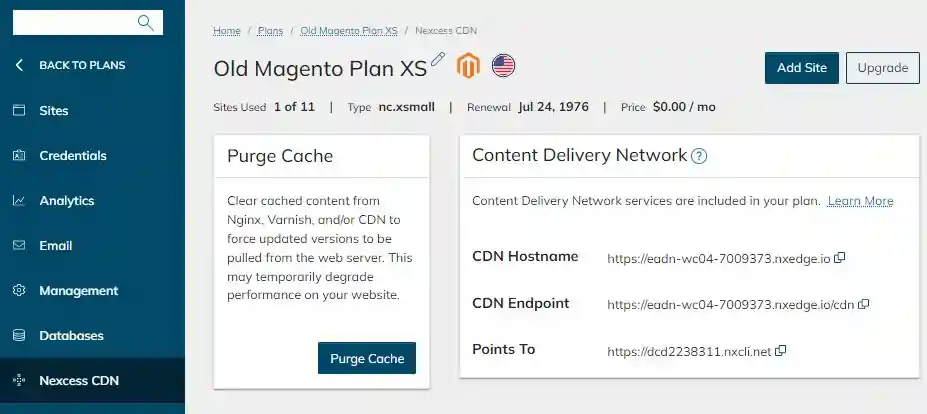
Built-in Content Delivery Network (CDN) integration ensures fast loading times globally. Automatic image compression optimises visual assets without manual intervention, reducing page sizes and improving load speeds. These features work together to deliver lightning-fast performance regardless of visitor location.
Nexcess Performance Benchmarks 📊
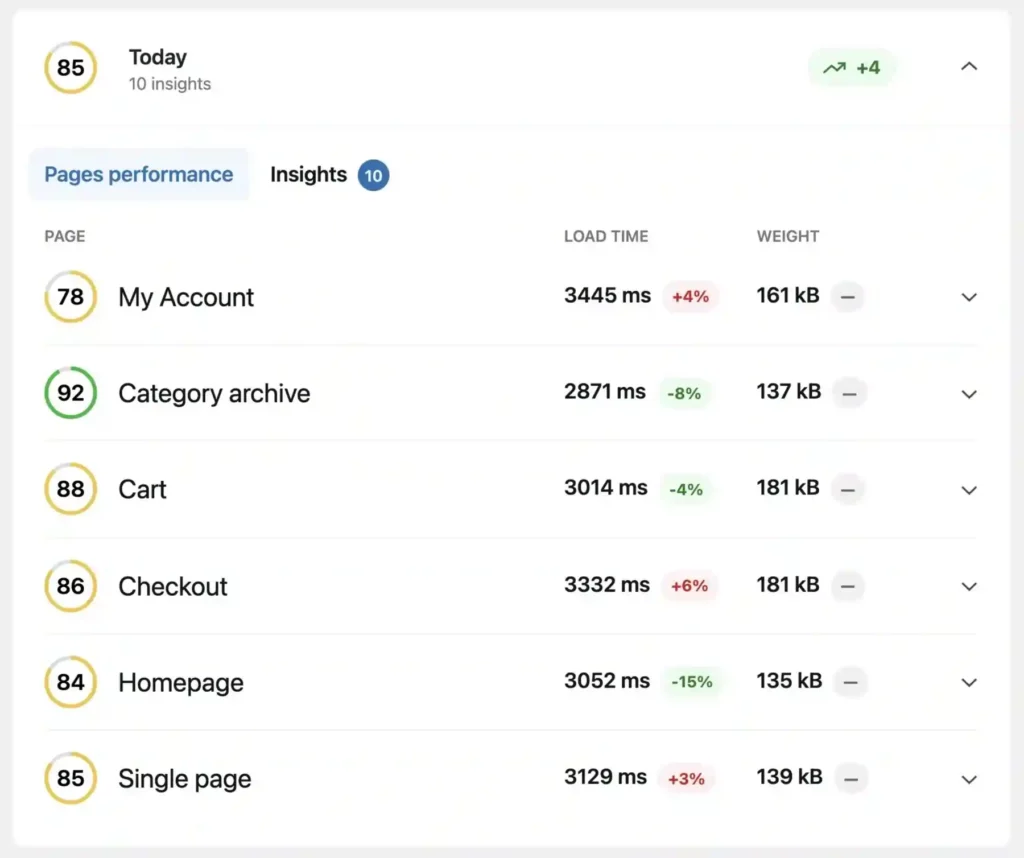
Independent reviews rate Nexcess at 4.5/5 for performance and uptime. Real-world testing demonstrates:
The WPBench performance scores place Nexcess solidly in the “good” category, though not quite matching premium competitors. For the price point, performance is entirely acceptable for affiliate sites and small-to-medium eCommerce operations.
Core Web Vitals performance meets Google’s thresholds, which matters for SEO and paid traffic quality scores. The built-in CDN significantly improves loading speeds for international visitors.
How to Get Started with Nexcess: Complete Setup Guide 📋
Setting up your Nexcess hosting is straightforward, but let me walk you through the process to get you up and running quickly.
- Step 1: Choose Your Hosting Plan
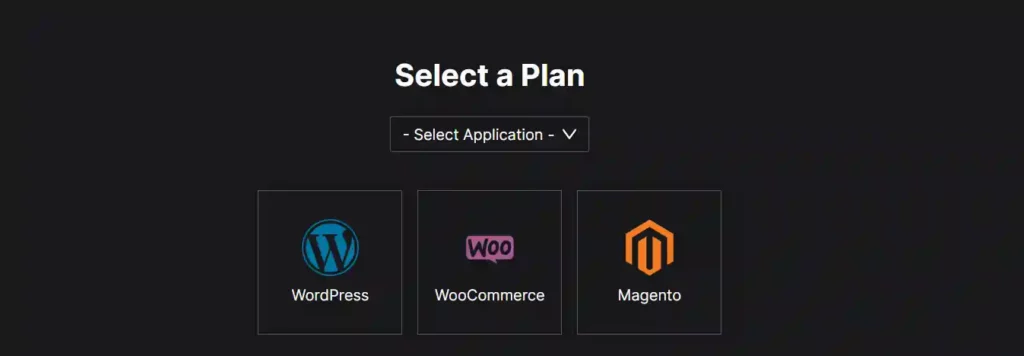
Head over to Nexcess and select the hosting type that matches your needs. For affiliate marketers running WordPress campaign sites, go with Managed WordPress. Running an eCommerce store? Pick WooCommerce or Magento hosting.
- Step 2: Complete Registration
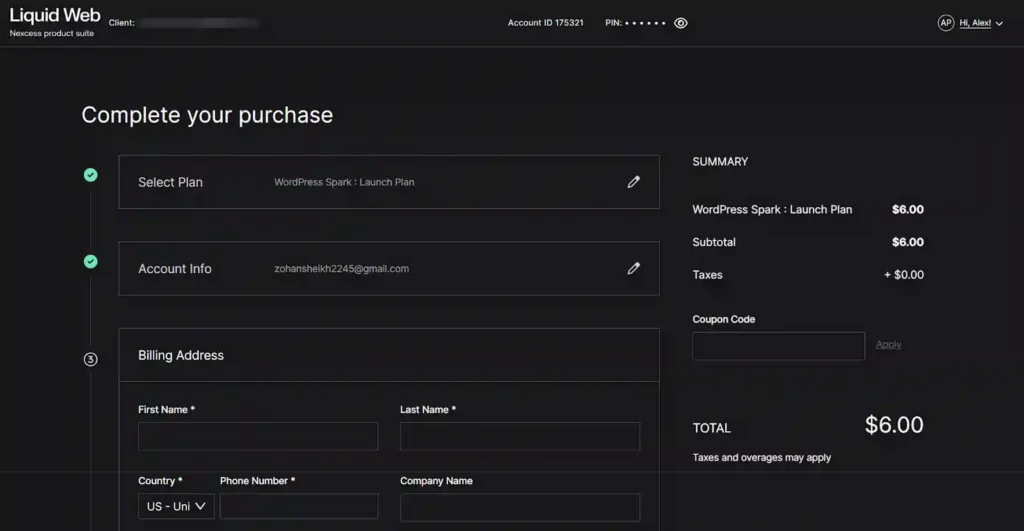
Fill in your details and billing information. Nexcess offers monthly and annual payment options, with annual plans saving you proper money. They accept major credit cards, PayPal, and other payment methods.
- Step 3: Access Your Control Panel
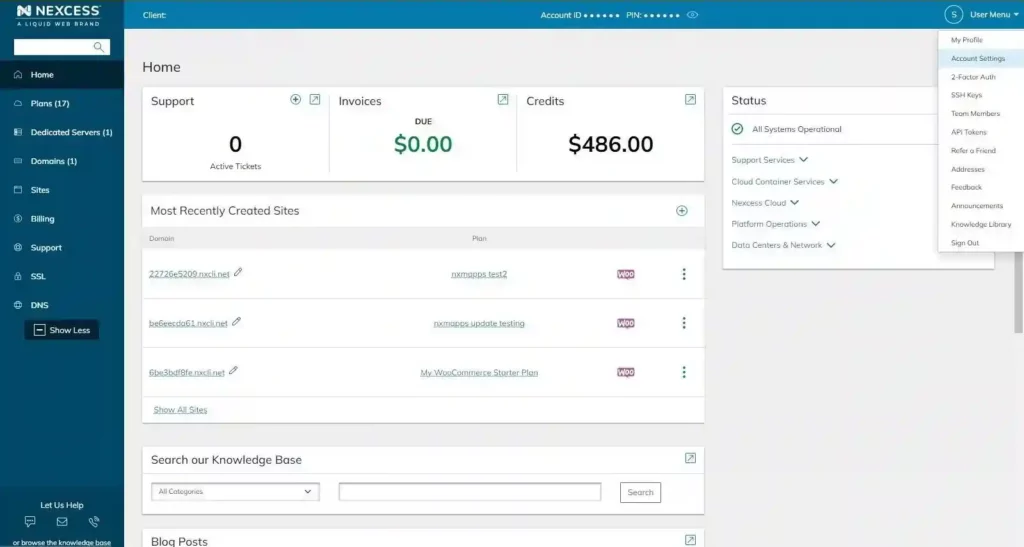
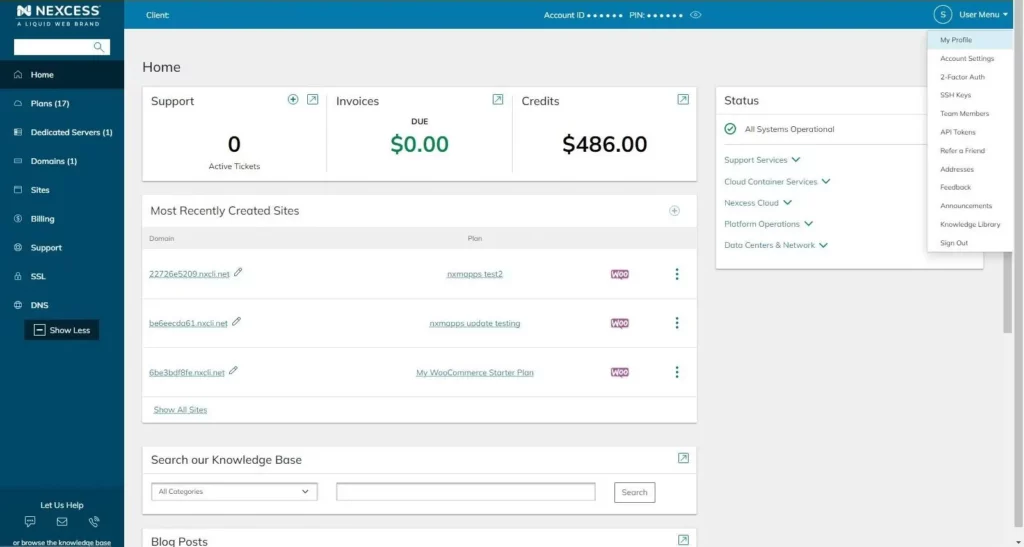
Once your account is active, you’ll receive login credentials for the Nexcess control panel. The dashboard is remarkably intuitive, showing performance metrics, storage usage, bandwidth, and quick access to all management tools.
- Step 4: Migrate Your Existing Site (If Applicable)
Nexcess provides free website migration with all plans. Their migration team handles the entire process—you just submit a migration request through the control panel, provide your old hosting credentials, and they’ll move everything over.
- Step 5: Configure Your Settings
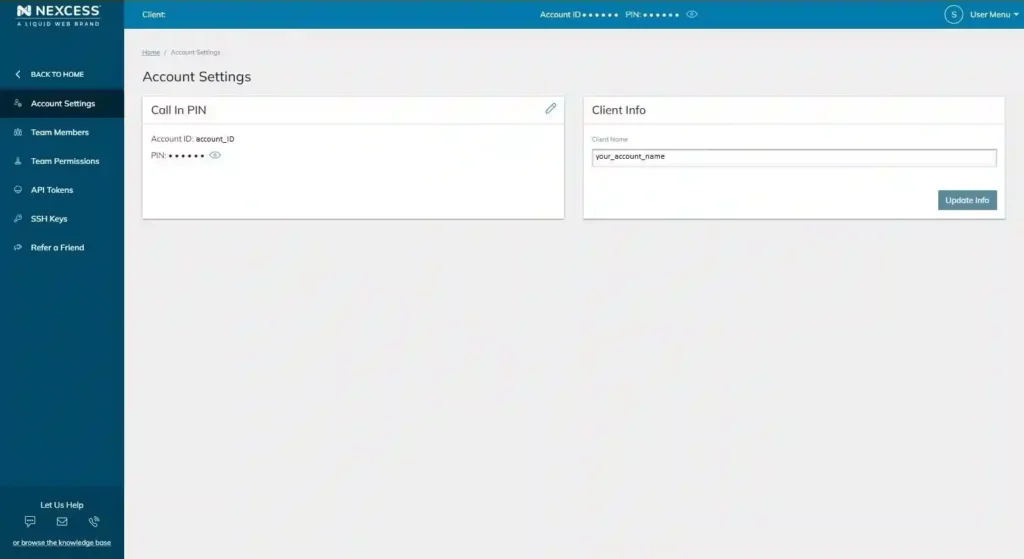
Set up your email accounts, configure caching options, and connect your domain. The control panel makes all of this dead simple with clear instructions for each step.
- Step 6: Install WordPress or Your Platform
For new sites, Nexcess offers one-click installation for WordPress, WooCommerce, and other platforms. The system automatically configures optimised settings for maximum performance.
- Step 7: Optimise and Launch
Enable the CDN, set up your staging environment for testing, and configure your backup schedule. Once everything looks good on staging, push your site live.
Nexcess Pricing What You Actually Pay 💳
Nexcess pricing follows a flexible structure that scales based on the specific CMS platform you use.
Managed WordPress and WooCommerce
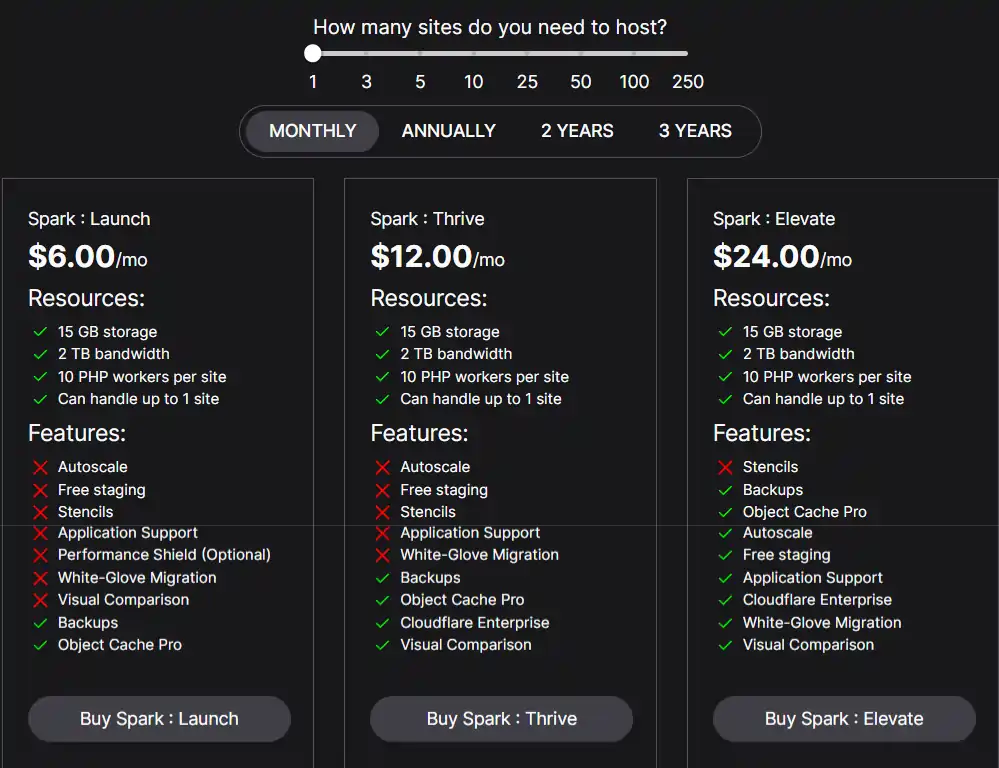
Managed WordPress and WooCommerce hosting share identical pricing tiers starting at just $6 monthly. These plans include auto-scaling, free migrations, and SSL certificates.
| Plan | Monthly Cost | Resources |
|---|---|---|
| Spark Launch | $6.00 | 1 Site, 15 GB Storage, 2 TB Bandwidth |
| Spark Thrive | $12.00 | Cloudflare Enterprise, 10 PHP Workers |
| Spark Elevate | $24.00 | Priority Support, Visual Comparison |
You get 15 GB storage and 2 TB bandwidth across all three Spark tiers. The primary difference is the inclusion of Cloudflare Enterprise and advanced support features in higher plans.
Magento Hosting
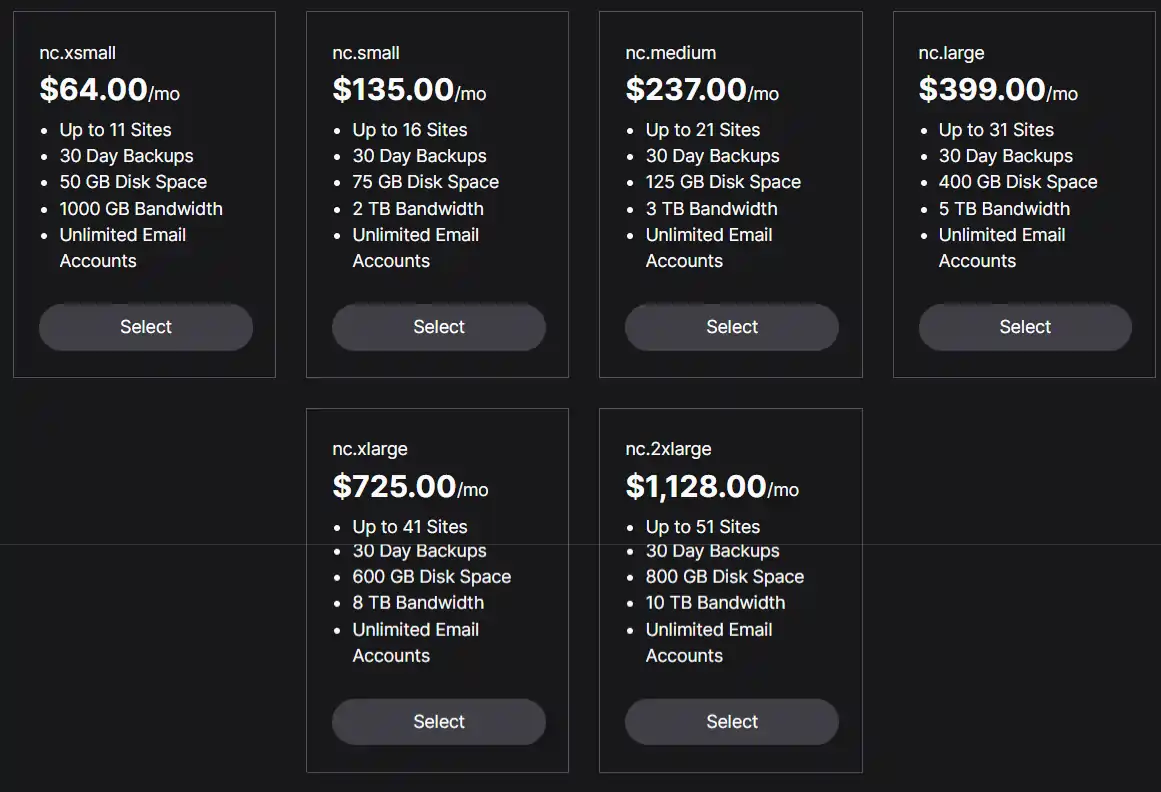
Magento managed hosting requires significantly more power so the entry point is higher. The nc.xsmall plan begins at $64 monthly and supports up to 11 sites with 50 GB disk space and 30 day backups. Larger operations can scale up to the nc.2xlarge tier for $1,128 monthly to support 51 sites.
Nexcess Security & Compliance 🔒
Security is genuinely robust on Nexcess:
I’ve never experienced a hack on Nexcess-hosted sites, which speaks volumes about their security posture. For affiliate marketers handling customer data or processing payments, this level of security is non-negotiable.
The 30-day backup retention gives you plenty of recovery options if something goes wrong. Backups are stored separately from production servers, adding another protection layer.
Nexcess for WooCommerce & eCommerce 🛒
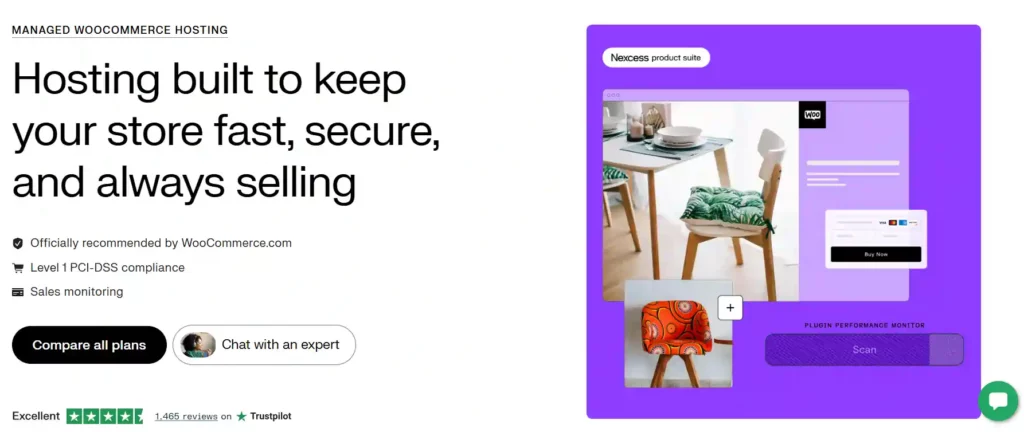
If you’re running affiliate eCommerce or dropshipping operations, Nexcess shines:
The Nexcess StoreBuilder option provides a complete eCommerce solution for those starting from scratch. For existing WooCommerce sites, the managed hosting handles all technical optimisation whilst you focus on driving traffic and conversions.
Independent testing shows WooCommerce sites on Nexcess handle concurrent users effectively, maintaining quick response times even during checkout processes. This directly impacts conversion rates and affiliate earnings.
Nexcess Customer Support: Getting Help When You Need It 🆘
24/7/365 support is included with every Nexcess plan. The support team consists of actual WordPress and eCommerce specialists, not outsourced first-level technicians reading scripts.
You can reach support via live chat, email, or phone. Response times average 2-15 minutes for urgent issues. The knowledge base includes hundreds of articles covering common tasks and troubleshooting.
For complex migrations or custom configurations, Nexcess offers premium support packages. The migration team particularly excels—they handle site transfers professionally with minimal downtime.
One limitation: Nexcess doesn’t provide dedicated account managers on standard plans. You’ll work with the general support team rather than having a single point of contact. For most users this isn’t an issue, but larger agencies might prefer dedicated support.
Migration Process: Switching to Nexcess 🔄
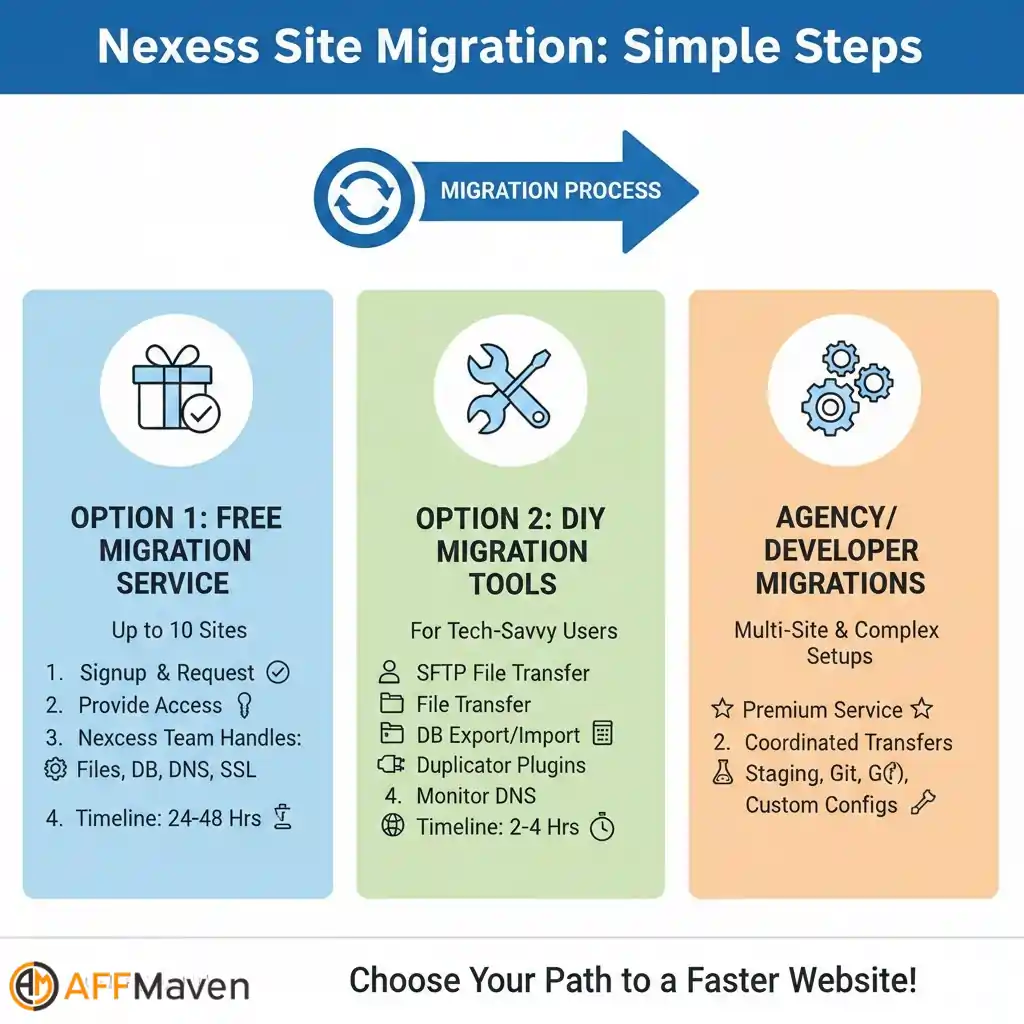
Moving existing sites follows straightforward process:
Option 1: Free Migration Service
New customers receive complimentary migration for up to 10 sites. Submit migration request after signup, providing FTP/cPanel access to the current host. The Nexcess team handles file transfers, database migration, DNS changes, and SSL installation. The timeline typically completes within 24-48 hours.
Option 2: DIY Migration Tools
For users comfortable with technical steps, Nexcess provides documentation covering:
Most sites complete migration within 2-4 hours DIY approach with proper preparation.
Option 3: Agency/Developer Migrations
Multi-site migrations for agencies qualify for premium migration service. Nexcess coordinates complex transfers involving staging environments, Git repositories, and custom configurations.
Nexcess Pros and Cons: The Honest Truth ⚖️
Pros ✅
Cons ❌
Who Should Choose Nexcess? 🎯
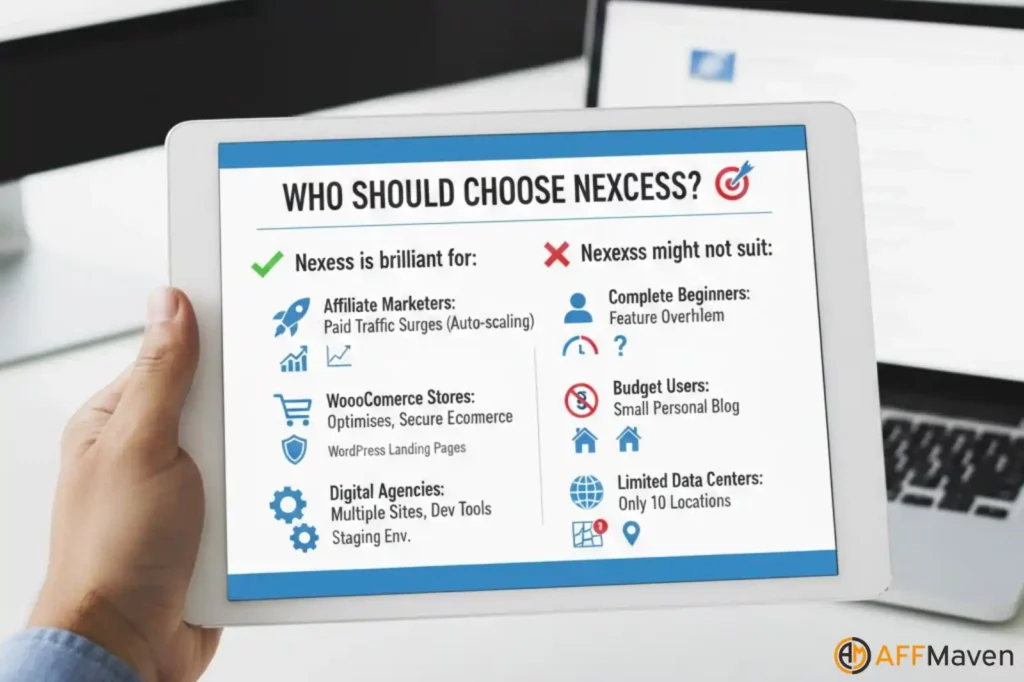
Nexcess is brilliant for:
Affiliate marketers running paid traffic to WordPress landing pages who need traffic surge protection. The auto-scaling ensures your campaigns don’t crash during high-volume periods.
WooCommerce store owners seeking reliable, optimised eCommerce hosting without enterprise-level pricing. The platform handles everything from payment security to performance optimization.
Digital agencies managing multiple client websites who need staging environments, developer tools, and consistent performance.
High-traffic content sites experiencing unpredictable visitor patterns. The unlimited bandwidth and auto-scaling handle whatever traffic comes your way.
Nexcess might not suit:
Complete beginners wanting the absolute simplest hosting experience. Whilst not overly complex, the feature set can feel overwhelming initially.
Budget-conscious users who’ll only ever run a small personal blog. Shared hosting would be cheaper, though less powerful.
Users requiring many specific data centre locations. With only 10 locations, geographic options are limited compared to some competitors.
Nexcess Alternatives: How Does It Compare? 🔄
| Provider | Starting Price | Uptime | Data Centers |
|---|---|---|---|
| Nexcess | $17.50/mo | 99.99% | 10 locations |
| WP Engine | $20/mo | 99.95% | 35+ locations |
| Kinsta | $35/mo | 99.9% | 37 locations |
| Cloudways | $11/mo | 99.99% | Multiple clouds |
| SiteGround | $2.99/mo | 99.99% | 7 locations |
Conclusion 🎯
Nexcess delivers premium managed WordPress and WooCommerce hosting justifying higher pricing through exceptional performance, intelligent auto-scaling, and genuinely helpful support teams.
Businesses prioritizing uptime reliability, hands-off management, and WooCommerce optimization will find Nexcess worth the investment. However, budget-conscious bloggers or simple brochure sites may find better value elsewhere.
Recommended For: Growing e-commerce stores, high-traffic content sites, agencies managing client portfolios, businesses valuing support quality over cost savings.

Stay Updated with Us
🚀 Get Exclusive Affiliate Marketing Secrets🚀
Discover the strategies, tools, and tactics used by the top 1% of affiliate earners!

Join 69,572+ Affiliates already leveling up their game
Affiliate Disclosure: This post may contain some affiliate links, which means we may receive a commission if you purchase something that we recommend at no additional cost for you (none whatsoever!)