If you’re a business owner or marketer in 2026, you can’t afford to ignore TikTok. With over 1 billion active users worldwide, this video-sharing juggernaut has become a goldmine for reaching Gen Z and millennial audiences.
And you know that posting normal posts is not gonna make it, you need to level up your game with TikTok’s powerful advertising tools, and one such thing you can’t overlook is TikTok Ads Manager. But how to use TikTok Ads Manager?
If you are unaware of what this tool can do, you can create, launch, and optimize paid ad campaigns that can skyrocket your brand’s visibility and engagement on the app. From setting up your ad account to crafting irresistible video ads, this guide will walk you through every step of the process.
How to Use TikTok Ads Manager?
Getting started with the TikTok Ads Manager is pretty easy, here is a small step-by-step guide on how you can use TikTok Ads Manager.
Create an Ad Account
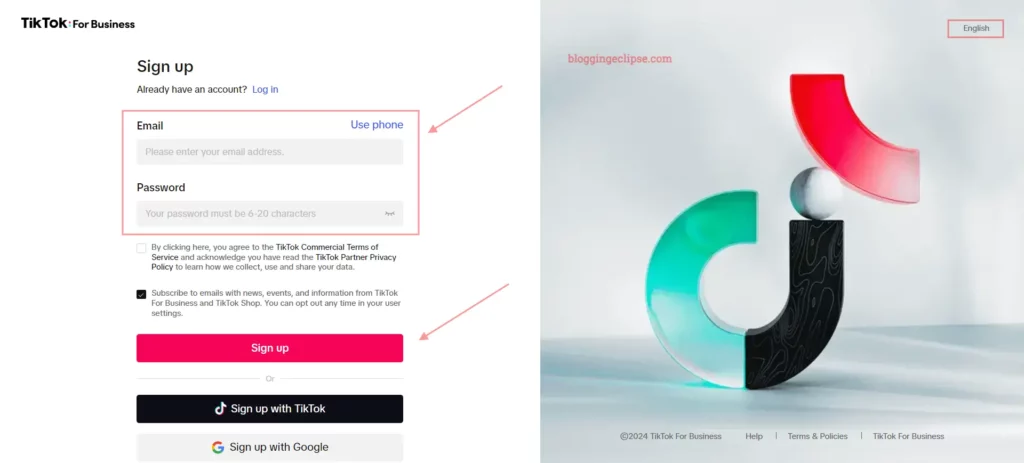
- Go to https://ads.tiktok.com and click “Get Started“.
- Enter your email/phone number and business details.
- Select your country, time zone, currency, and submit for approval.
Create a Campaign
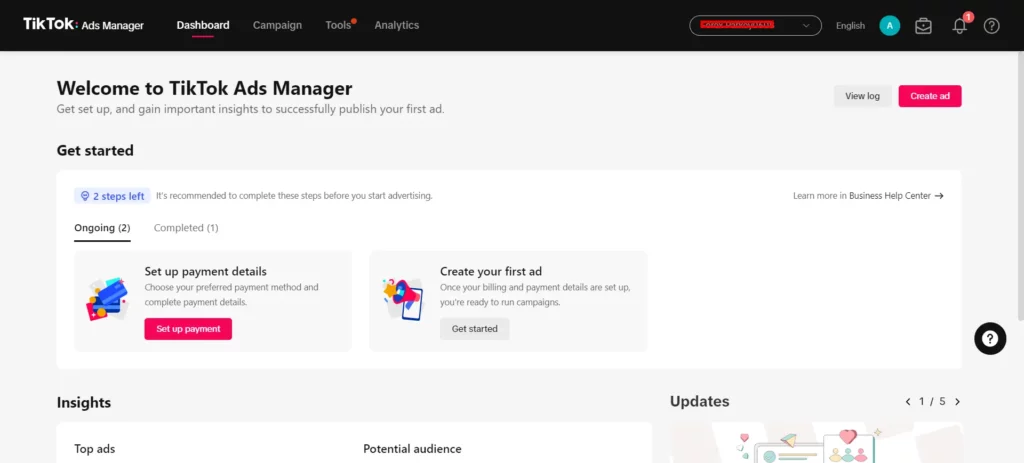
- Click “Dashboard” > “Get Started” under “Create your first ad“.
- Select your advertising objective (Awareness, Consideration, Conversion).
- Set campaign budget and schedule.
Set Up an Ad Group
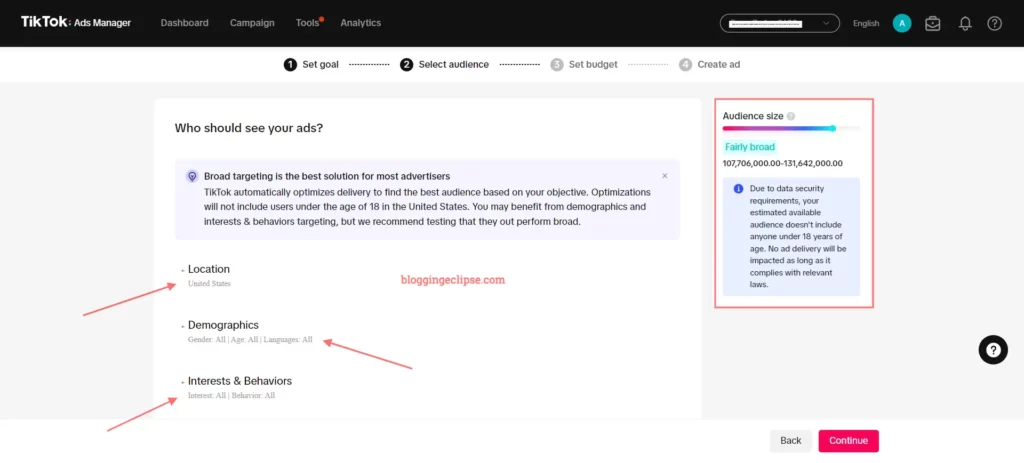
- Name your ad group.
- Choose placements (automatic or manual).
- Define audience targeting (location, demographics, interests, etc.).
- Set ad group budget, schedule, and optimization goal.
Create an Ad
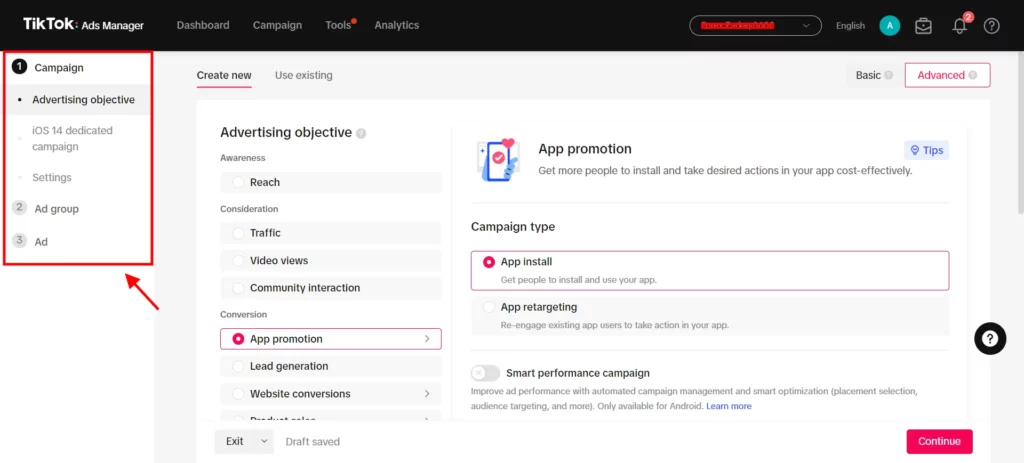
- Link your TikTok Account if you are not logged in.
- Upload videos/images for your ad creative.
- Write ad text and select call-to-action.
- Choose identity (your brand account or custom).
- Set destination URL.
- Preview and submit the ad for review.
Install the TikTok Pixel
- In the Ads Manager, go to Management > Events > Manage Pixels.
- Create a new pixel and install it on your website.
- Set up conversion events you want to track.
Monitor Performance

- Use the Ads Manager dashboard to track metrics like impressions, clicks, and conversions.
- Analyze performance and make optimizations as needed.
Be sure to follow TikTok’s advertising policies and creative best practices for optimal performance. Regularly refresh ad creative to prevent audience fatigue.
TikTok Ads Manager Features
Exploring the features of TikTok Ads Manager can help marketers tailor their advertising strategies effectively. This section delves into the targeting options and ad formats available within the TikTok Ads Manager.
Targeting Options
TikTok Ads Manager offers a variety of targeting options, allowing advertisers to reach their desired audience with precision. These options include:
Additionally, TikTok Ads Manager allows for the creation of Lookalike or Custom Audiences based on customer files, engagement, app activity, website traffic, shop activity, and more.
Ad Formats
TikTok provides a variety of advertising formats to suit different campaign objectives. These formats include:
Monitoring TikTok Ad Performance
The performance of your ad campaigns is crucial for optimizing your advertising strategy on TikTok. TikTok Ads Manager provides several tools to help marketers track and analyze their campaign performance effectively.
Dashboard Overview
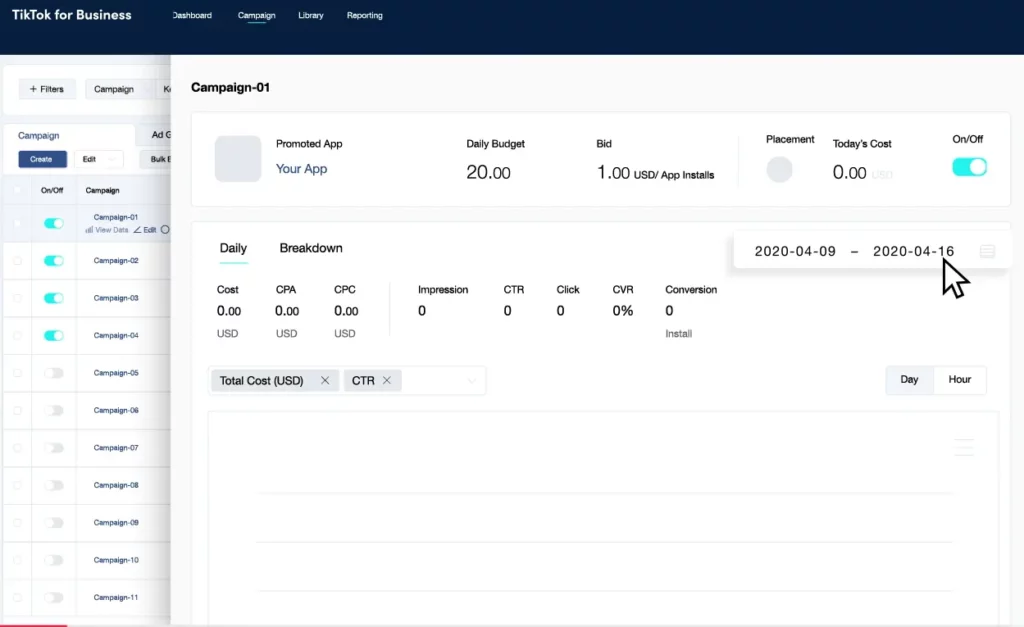
The Dashboard page on TikTok Ads Manager offers an overview of key performance metrics, ad spend, and the status of campaigns. This centralized view allows users to assess performance trends and identify key indicators that may require further investigation.
- Impressions: Number of times ads were displayed.
- Clicks: Number of times ads were clicked.
- CTR (Click-Through Rate): Percentage of clicks relative to impressions.
- CPA (Cost Per Action): Cost incurred for each desired action (e.g., download, sign-up).
- ROAS (Return on Ad Spend): Revenue generated for each dollar spent on ads
Campaign Insights
The Campaign page provides a more detailed view, allowing users to filter for specific campaigns and customize columns to display the most relevant data. This page also breaks down audience data, offering insights segmented by:
- Age
- Gender
- Location
- Interest
- Device
TikTok Ads Manager offers both Custom Reports and Pre-defined Report templates, allowing users to select specific dimensions and metrics to display in their reports. Reports can be exported in xlsx or csv formats for easy reference.
Using PiPiADS for TikTok Ad Analysis
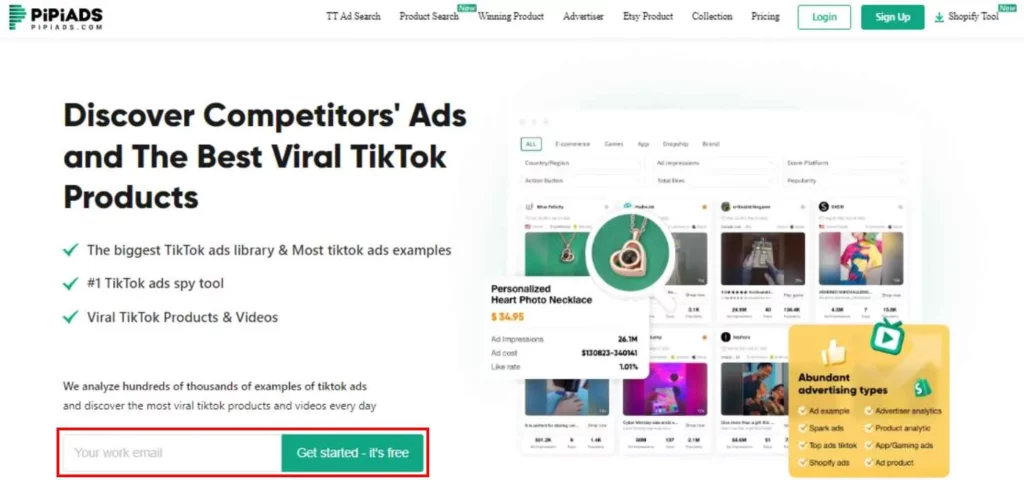
PiPiADS is a powerful analytics tool that provides in-depth insights into your TikTok ad campaigns. By integrating with your TikTok Ads Manager account, PiPiADS allows you to track and analyze a wide range of performance metrics.
Some key parameters you can monitor with PiPiADS include:
- Impressions, reach, and engagement rates across different ad placements.
- Cost per view, click conversion, and other efficiency metrics.
- Audience demographics like age, gender, location, and interests.
- Creative performance to identify top-performing videos/images.
- Conversion tracking for website events, app installs, and purchases.
- Detailed breakdowns by campaign, ad group, and ad level.
With its user-friendly dashboard and in-depth reporting, PiPiADS is quite an excellent choice for making data-driven decisions, optimizing your ad spend, and maximizing your return on investment from TikTok advertising.
Optimizing TikTok Ads
Effectively optimizing your ads on TikTok is crucial for driving engagement and achieving your marketing goals. It’s important to create content that resonates with the TikTok audience. Here are some creative best practices:
Answering the Common Queries
Is There a Minimum Ad Spend on TikTok?
What Ad Formats are Available on TikTok?
How Long can TikTok Video Ads be?
What Targeting Options are Available for TikTok Ads?
How Frequently Should I Refresh My Ad Creatives?
Ready to Crush TikTok Ads?
And there you have it – your crash course in mastering the TikTok Ads Manager! It may seem a bit daunting at first, but trust me, once you get into it and start experimenting, you’ll be a pro in no time.
Remember, the key to success on TikTok is to let your creativity shine and keep your finger on the pulse of the latest trends.
I would suggest testing different ad formats, targeting strategies, and optimization tactics until you find the secret sauce that works for your brand. With a little persistence and a lot of personality, you’ll be raking in the views, likes, and sales before you know it.
Happy Advertising!
🚀 Get Exclusive Affiliate Marketing Secrets🚀
Discover the strategies, tools, and tactics used by the top 1% of affiliate earners!

Join 69,572+ Affiliates already leveling up their game
Affiliate Disclosure: This post may contain some affiliate links, which means we may receive a commission if you purchase something that we recommend at no additional cost for you (none whatsoever!)