
Looking to level up your affiliate marketing game with smart automation? You’re not alone. The top affiliates in 2026 are using AI assistants to work smarter, not harder.
And here’s the thing: n8n is proving to be a game-changer for affiliate marketers who want to automate repetitive tasks and build AI assistants.
In this guide, I’ll walk you through how to use n8n to create powerful AI workflows that can transform your affiliate business.
Let’s get into the nuts and bolts of using n8n for affiliate marketing automation!
What is n8n and Why Should Affiliate Marketers Care?
n8n (pronounced “n-eight-n“) is an open-source workflow automation tool that connects different apps and services.
Unlike other automation platforms, n8n charges based on workflow executions rather than individual tasks, making it cost-effective for complex automation scenarios.
For affiliate marketers, this means you can build sophisticated workflows connecting all your marketing tools without breaking the bank.
Whether you’re running Amazon affiliate campaigns, promoting CPA offers, or working with multiple affiliate networks, n8n can handle the heavy lifting.
Key benefits for affiliate marketers:
n8n Pricing: What You Need to Know

Before exploring into the setup, let’s look at what n8n costs:
For most affiliate marketers, the Starter plan is enough to begin with. As your automation needs grow, you can easily upgrade to the Pro plan.
Setting Up n8n for Affiliate Marketing: Step-by-Step Guide
Let’s get your n8n instance up and running so you can start building powerful affiliate marketing automations.
Step 1: Sign Up for n8n Cloud or Self-Host
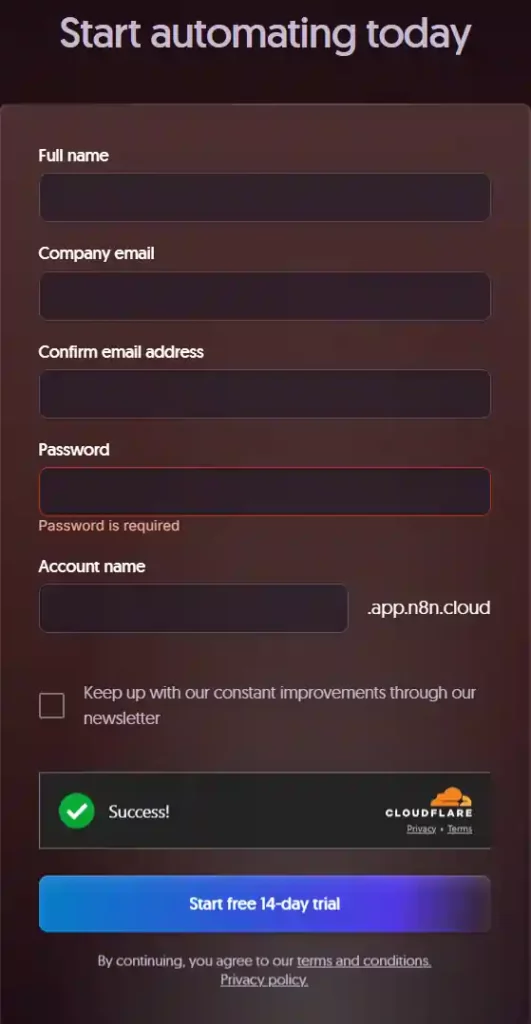
The easiest way to get started is with n8n Cloud:
- Visit the n8n website (n8n.io) and click “Get Started“
- Create a new account with your name, email address, and password
- Take advantage of the 14-day free trial to test all features
- Choose your plan based on your workflow needs
If you prefer self-hosting (for cost savings or privacy):
- Set up a small VPS with a provider like Digital Ocean or Linode
- Follow the n8n documentation for installation via npm or Docker
- Connect to your instance via your server’s IP address
Step 2: Set Up Your First Workflow
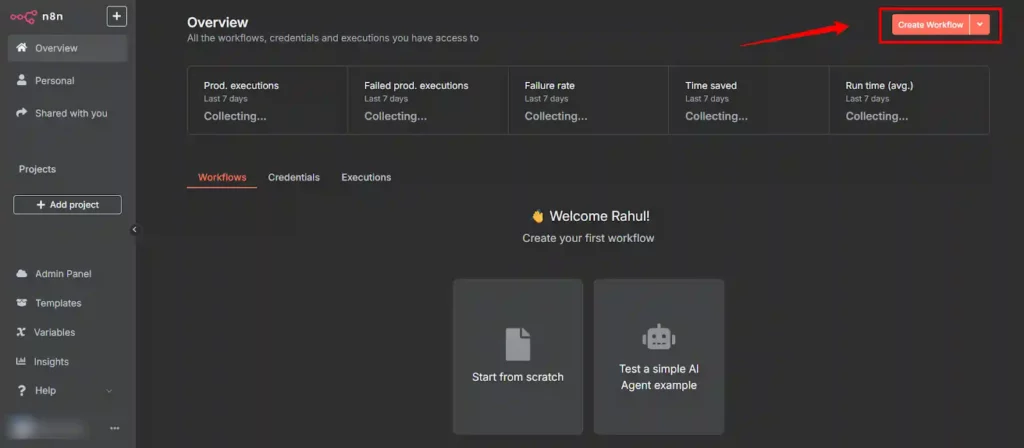
Once you’ve got access to your n8n instance:
- Click on “Workflows” in the main menu
- Select “Create New Workflow“
- Name your workflow something descriptive like “Amazon Affiliate Automation“
- You’ll see the n8n canvas where you can start building your workflow
Step 3: Creating an AI Assistant for Affiliate Research
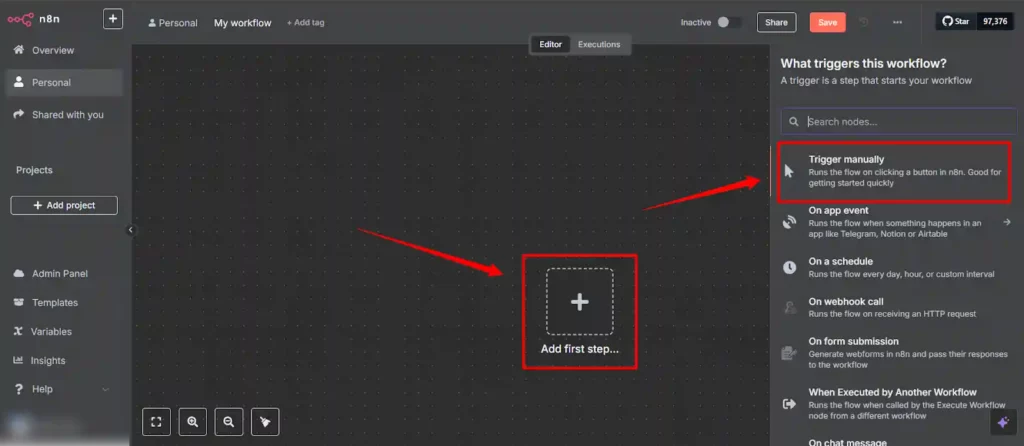
One of the most powerful ways to use n8n is to build AI assistants that can help with affiliate research. Here’s how to create a basic AI agent using n8n:
- Start with a trigger node – click the “+” button and search for “Chat Trigger“
- Add the Chat Trigger node to your canvas
- Next, add an AI node – search for “ChatGPT” or “Open AI” in the node menu
- Connect your Chat Trigger to the ChatGPT node
- Configure the ChatGPT node with your API key:
- Click on the ChatGPT node
- Create a new OpenAI account connection
- Enter your API key from OpenAI
- Select GPT-4 or a similar model
- Set up memory for your agent:
- Click on “Memory” in the AI node settings
- Select “Window Buffer Memory”
- Keep the context window to about 5 messages
- Connect it to your Chat Trigger’s session ID
Now you have a basic AI assistant that can help with affiliate research tasks!
Step 4: Adding Specialized Tools to Your AI Assistant
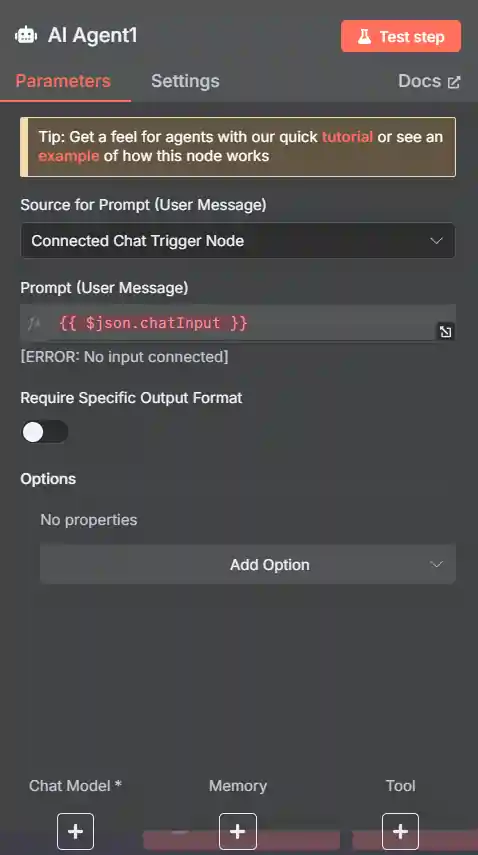
What makes n8n powerful is the ability to give your AI assistant specialized tools:
- Create a “Function” node for product research:
- Add a Function node to your canvas
- Write a JavaScript function that searches for product information
- Connect this to your AI node
- Add a “HTTP Request” node to fetch real-time pricing:
- Configure it to call Amazon’s API (or any other affiliate program API)
- Set up proper authentication and parameters
- Create an output node to format responses:
- Add a “Set” node to format the data from your tools
- Connect this back to your AI node
With these tools, your AI assistant can now perform tasks like researching products, checking commissions, and providing more marketing insights.
Practical n8n Workflow: Amazon Affiliate Automation
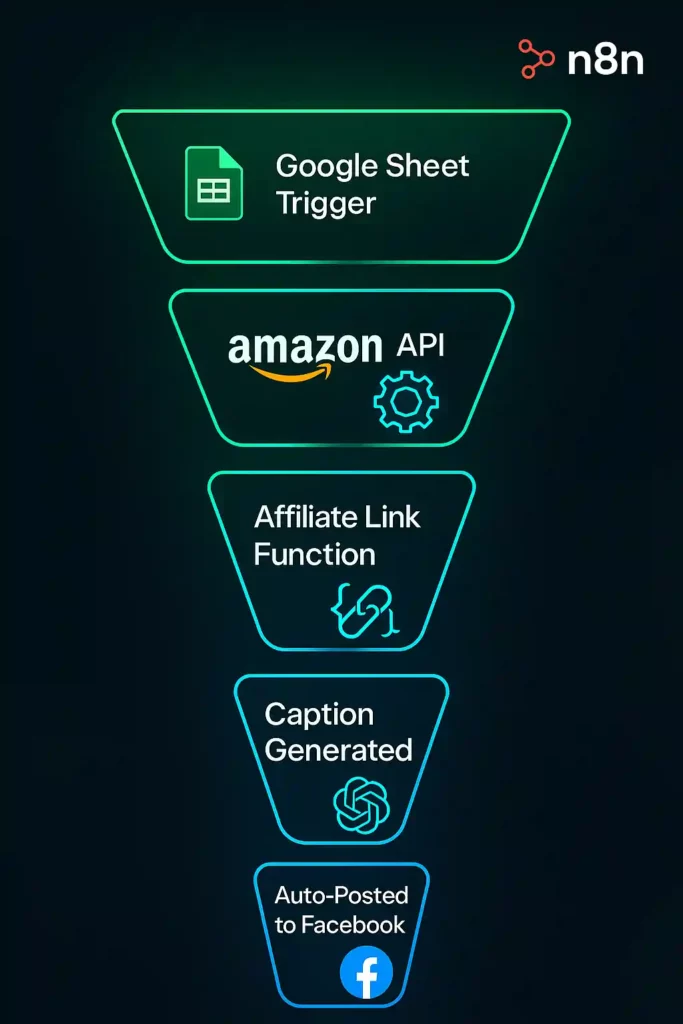
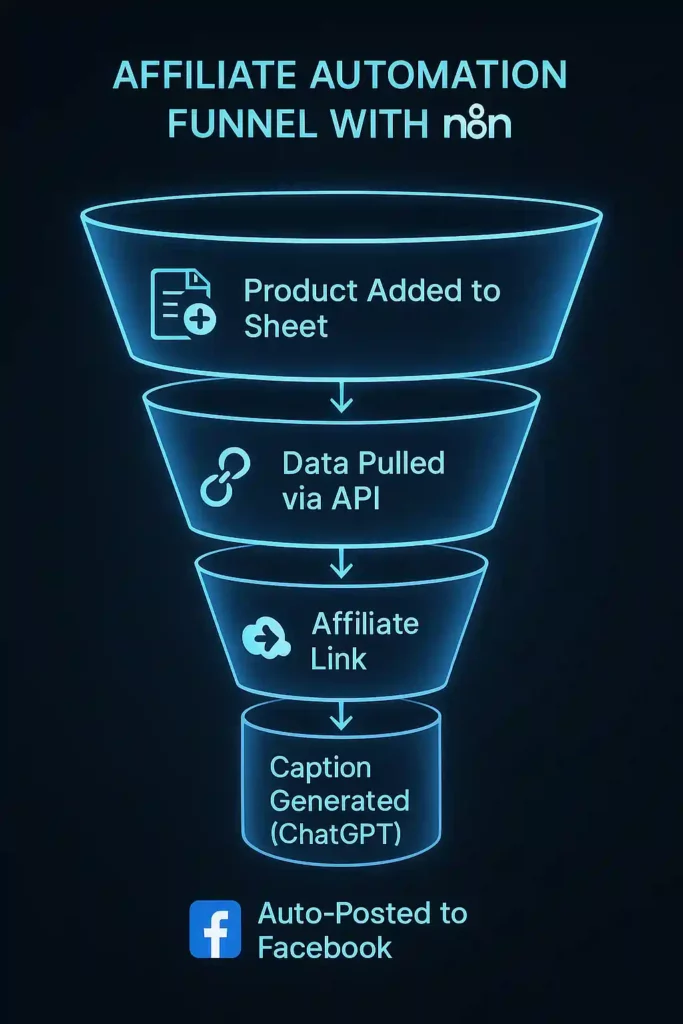
Let’s create a practical workflow for Amazon affiliate marketers. This automation will help you generate affiliate content and post it to social media:
Set up a Google Sheet as your product database:
Create a workflow that triggers when new products are added:
Generate promotional content:
Post to social media:
This entire workflow runs automatically whenever you add a new product to your Google Sheet!
Advanced n8n Features for Affiliate Marketers
Once you’re comfortable with basic workflows, you can explore these advanced features:
1. Workflow Scheduling
Set up schedules to check affiliate program updates, commission changes, or refresh content periodically.
2. Error Handling
Add error handling nodes to ensure your workflows keep running even when APIs fail or data is missing.
3. Conditional Logic
Use IF nodes to create different paths in your workflow based on product categories, commission rates, or other factors.
4. Webhook Integration
Create webhooks to receive real-time data from affiliate networks, payment processors, or tracking tools.
Why Top Affiliate Marketers Are Choosing n8n
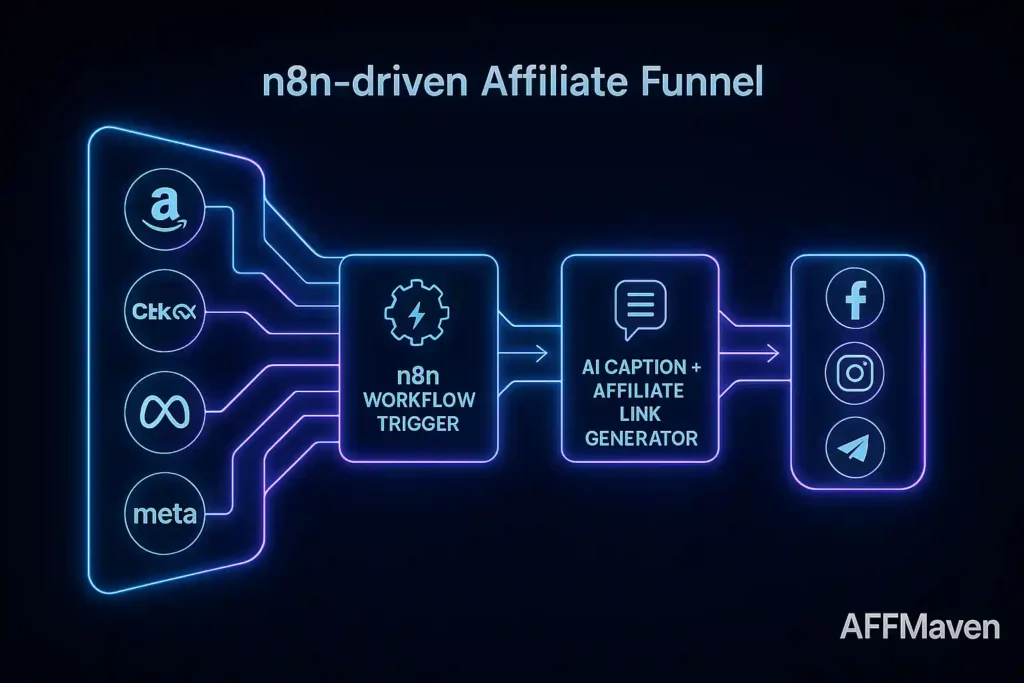
n8n has become popular among affiliate marketers for several reasons:

Conclusion
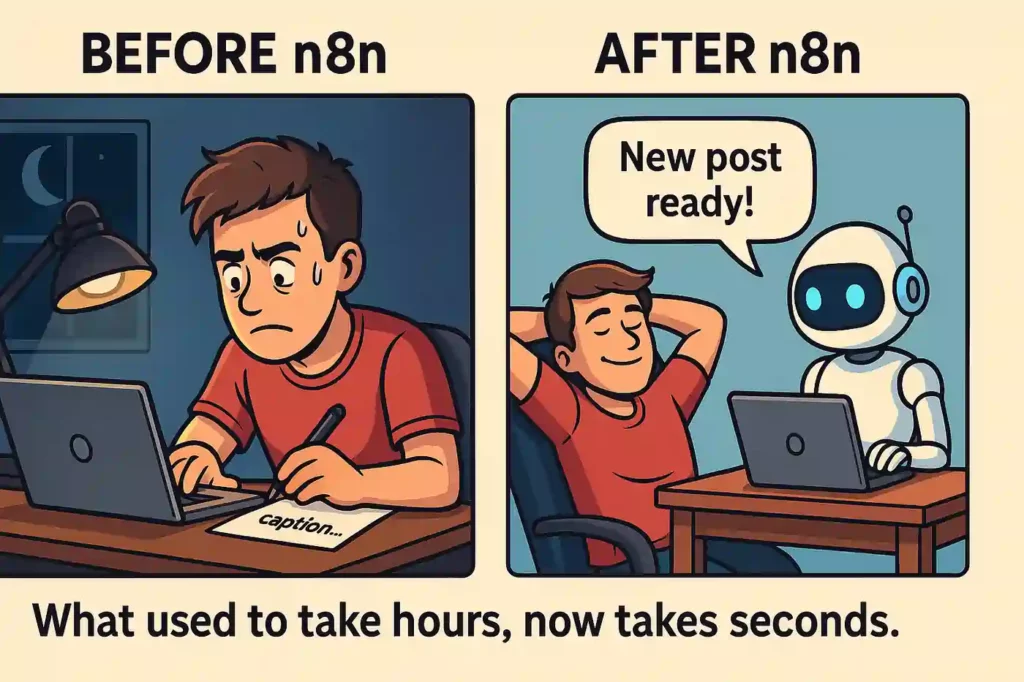
n8n is quickly becoming the go-to tool for affiliate marketers looking to build AI assistants and automate their workflows. Whether you’re managing Amazon affiliate links, CPA offers, or multiple affiliate programs, n8n provides the flexibility and power to take your affiliate business to the next level.
Start with a simple workflow, then gradually add more complexity as you get comfortable with the platform. Before long, you’ll have a suite of AI assistants and automations working for you around the clock.
🚀 Get Exclusive Affiliate Marketing Secrets🚀
Discover the strategies, tools, and tactics used by the top 1% of affiliate earners!

Join 69,572+ Affiliates already leveling up their game
Affiliate Disclosure: This post may contain some affiliate links, which means we may receive a commission if you purchase something that we recommend at no additional cost for you (none whatsoever!)




![16+ Best Adult Traffic Sources for Affiliate Marketing [2026]](https://affmaven.com/wp-content/uploads/2024/05/Best-Adult-Affiliate-Networks-1024x512.webp "16+ Best Adult Traffic Sources for Affiliate Marketing [2026] 15")


n8n is amazing tool for automatisation. I like you article because i still learning how to use it and incorporate into affiliate markeging.