
Manual SEO audits drain hours from your schedule. Checking every title tag, meta description, and H1 heading across hundreds of pages. That’s pure torture for any affiliate marketer.
That’s why we built an autonomous SEO auditing agent using the Model Context Protocol and web scraping tools. This agent crawls target sites, extracts on-page SEO factors, analyzes keyword density, and spots technical SEO issues in minutes.
We will show you exactly how we combined MCP server technology with residential proxies to create this agent.
🤖📈 Why AFFMaven needed Automated SEO Analysis
Our affiliate marketing community at AFFMaven needed faster automated SEO analysis. Manual audits take hours checking H1 tags, meta descriptions, and title tags.
We wanted true automation using the Model Context Protocol and smart data collection.
The agent needed to crawl target sites and extract key on page SEO factors. It also had to check external data sources for backlink analysis and keyword density. That’s where MCP came in to solve our problems.
⚡ The Agentic Framework and Model Context Protocol
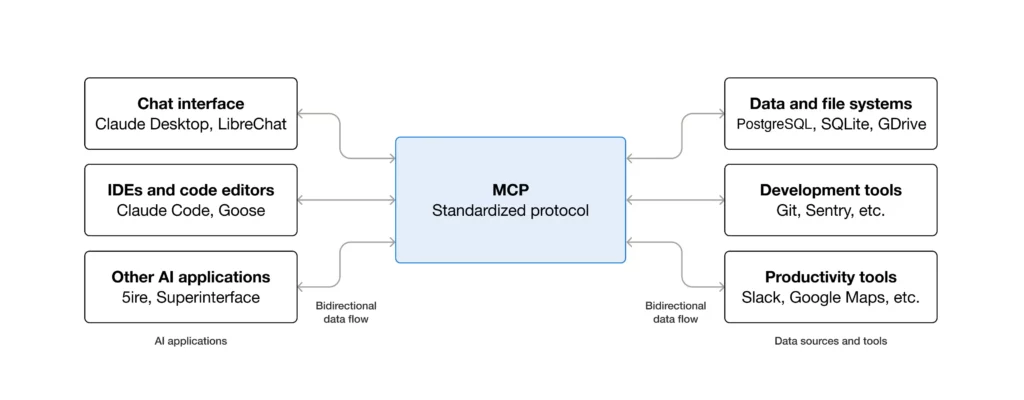
The Model Context Protocol serves as a standardized language that lets Large Language Models communicate with external tools and data sources. Think of MCP as a universal translator between your AI agent and the real world.
Traditional chatbots can only work with their training data. But with MCP, agents can access real-time information, execute commands, and interact with APIs dynamically.
This client-server architecture creates a structured pathway for AI-powered automation that goes beyond simple text generation.
At AFFMaven, we needed our agent to perform complex SEO analysis tasks without constant supervision. The MCP framework made this possible by allowing our agent to connect with web scraping tools, SEO APIs, and analytics platforms simultaneously.
This agentic capability transforms static AI into active assistants. Our agent can now identify indexation issues, analyze on-page SEO factors, and spot technical problems that impact search rankings.
🖥️⚙️ Technical Setup for Your MCP Server
Getting your MCP server running takes just a few minutes. The setup process requires Node.js installed on your machine.
First, clone the required repository and move to the project directory. Open your terminal and run these commands:
git clone https://github.com/your-mcp-server-repo

cd mcp-seo-agent

npm install
After installation, configure your IDE to connect with the server. For VS Code users, create a configuration file in your settings:
{

  "mcpServers": {

    "seo-agent": {

      "command": "node",

      "args": ["path/to/server/index.js"],

      "env": {
"API_KEY": "your-api-key"

      }

    }

  }

}
This JSON configuration establishes the connection between your code editor and the MCP server. The agent can now access tools for web crawling, data extraction, and SEO monitoring.
For our implementation, we integrated multiple data sources. The setup included connections to Google Search Console, analytics platforms, and web scraping APIs. The modular architecture lets you add or remove tools without rebuilding everything.
🕸️ Data Collection Through Web Scraping
The agent’s core function involves crawling websites to gather SEO data. This means sending hundreds or thousands of requests to extract information like title tags, header structure, and meta descriptions.

Most websites have anti-scraping protections. They track request patterns, monitor IP addresses, and block suspicious activity. Aggressive crawling from a single IP gets detected and blocked within minutes.
Our early attempts ran into this exact problem. We could scrape a few pages before hitting rate limits. The solution required appearing as genuine users from different locations.
Web scraping for SEO demands reliability. You need consistent access to target sites without interruptions. Failed requests mean incomplete audits and missing data.
Residential proxies use IP addresses from actual internet service providers. They come from real user devices and homes. This makes them nearly impossible for websites to detect as bots.
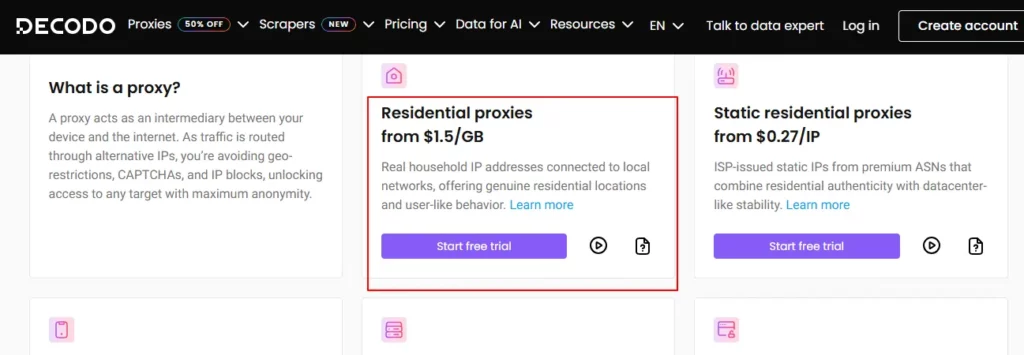
We tested several proxy providers before choosing Decodo. Their residential proxy network gave us exactly what we needed. Decodo offers over 125 million rotating IPs from 195 plus locations worldwide.
The key advantage is authenticity. When your SEO audit tool crawls a site through Decodo residential proxies, it appears as genuine user traffic. Websites can’t tell the difference between your bot and a regular visitor.
Decodo proxies helped AFFMaven handle large scale data collection without blocks. The rotation system automatically switches IPs to avoid detection. This kept our agent running smoothly across different websites.
The pricing structure makes sense for affiliate marketers. Residential plans start at $1.5 per GB, with options for static residential IPs at $0.32 per IP. This flexibility lets you scale operations without overpaying.
🐍💻 Implementation with Python Code
Here’s the actual Python code we use for our autonomous auditing agent. This script uses Decodo residential proxies to fetch pages and extract SEO elements:
import requests
from bs4 import BeautifulSoup

# Decodo residential proxy configuration

proxy = {

    'http': 'http://username:[email protected]:8080',

    'https': 'http://username:[email protected]:8080'

}

def audit_page(url):

    response = requests.get(url, proxies=proxy, timeout=30)

    soup = BeautifulSoup(response.content, 'html.parser')

    # Extract SEO elements

    title = soup.find('title').text if soup.find('title') else 'Missing'

    h1 = soup.find('h1').text if soup.find('h1') else 'Missing'

    meta_desc = soup.find('meta', attrs={'name': 'description'})

    description = meta_desc['content'] if meta_desc else 'Missing'

    return {

        'url': url,

        'title': title,

        'h1': h1,

        'meta_description': description,

        'status': 'Pass' if all([title, h1, description]) else 'Fail'

    }

# Run audit

result = audit_page('https://example.com')

print(result)
This code connects through Decodo’s proxy network, fetches the target page, and extracts critical on-page SEO factors. The BeautifulSoup library parses HTML to find title tags, H1 headings, and meta descriptions.
🔗 Building the Complete Pipeline
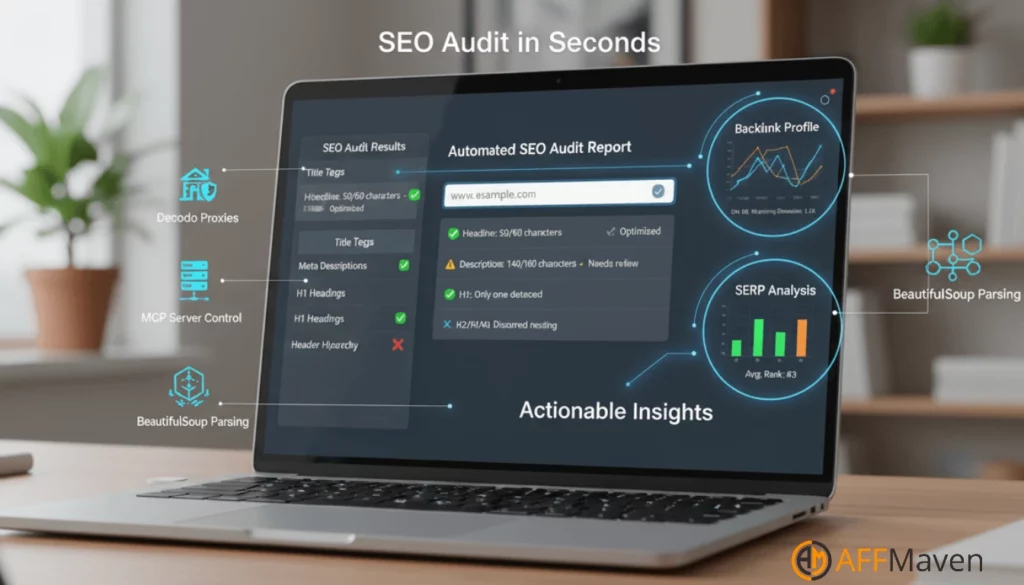
With MCP and Decodo proxies configured, we built the actual SEO audit logic. The agent follows a systematic approach.
First, it receives a target URL as input. The MCP server instructs the agent to begin crawling. Using Decodo residential proxies, the agent requests the webpage without triggering blocks.
BeautifulSoup parses the returned HTML. The agent extracts critical SEO elements like title tags, meta descriptions, H1 headings, and header hierarchy. It checks for missing elements or duplicate content issues.
Next, the agent can query external SEO APIs for backlink data and SERP analysis. This provides a complete picture of the site’s SEO health. The MCP framework handles all communication between the LLM and these different data sources.
The agent compiles everything into a structured report. It assigns pass or fail status to each SEO factor. This gives you actionable insights in seconds instead of hours.
🔍 A Smarter Approach to SEO Auditing
Building an autonomous SEO auditing agent with MCP and web scraping changes how you approach technical SEO. The Model Context Protocol gives your AI real world capabilities.
Paired with reliable residential proxies from Decodo, you get powerful data collection that mimics human behavior.
Start with the basic MCP server setup. Configure your IDE and connect to the protocol. Then add proxy support through Decodo for reliable crawling that bypasses anti scraping measures.
The result is an SEO audit tool that works smarter. It gathers accurate data from any website without blocks. Your agent handles the tedious work while you focus on strategy and growth for your affiliate sites.

Stay Updated with Us
🚀 Get Exclusive Affiliate Marketing Secrets🚀
Discover the strategies, tools, and tactics used by the top 1% of affiliate earners!

Join 69,572+ Affiliates already leveling up their game
Affiliate Disclosure: This post may contain some affiliate links, which means we may receive a commission if you purchase something that we recommend at no additional cost for you (none whatsoever!)